
Choose a map
Use a searchable map when you already know what you need. Use the region guide when you are still deciding where your next trip should go.
| Tool | Useful for | What to check |
|---|---|---|
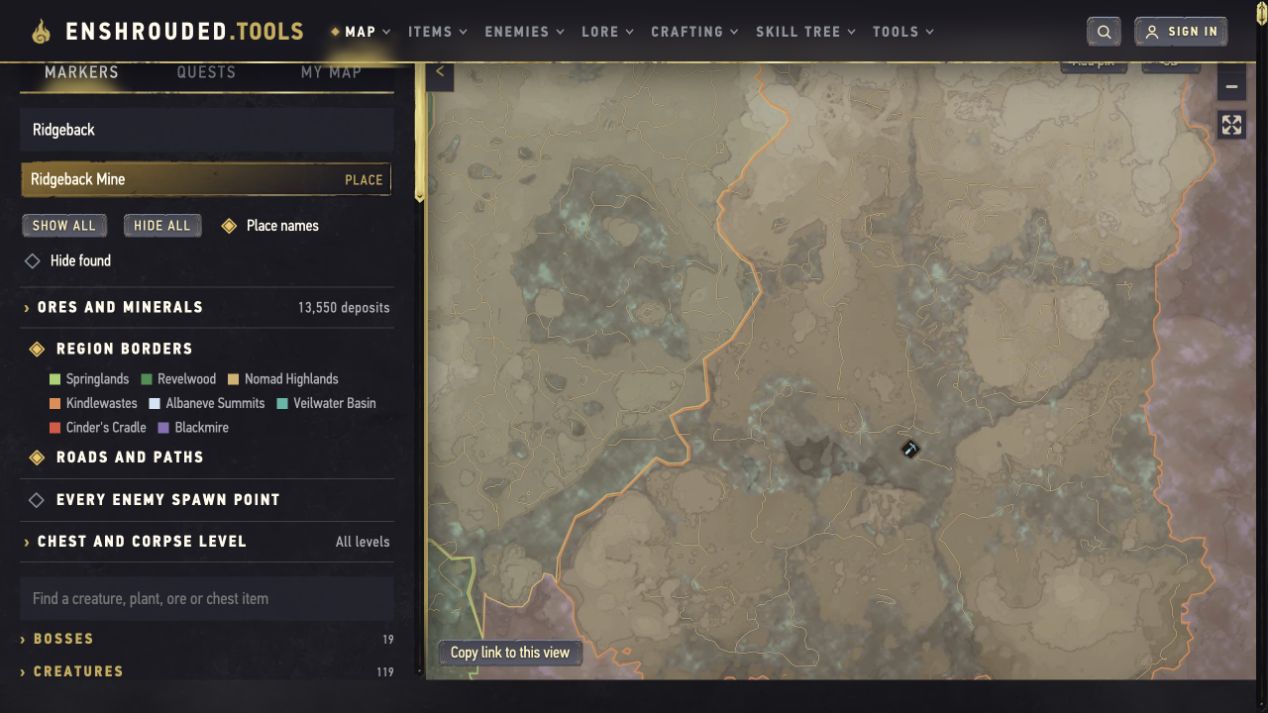
| Enshrouded.tools map | Looking up named places, then using its surrounding item and location database. | Search Ridgeback to find Ridgeback Mine. The live map has separate place and item search fields. |
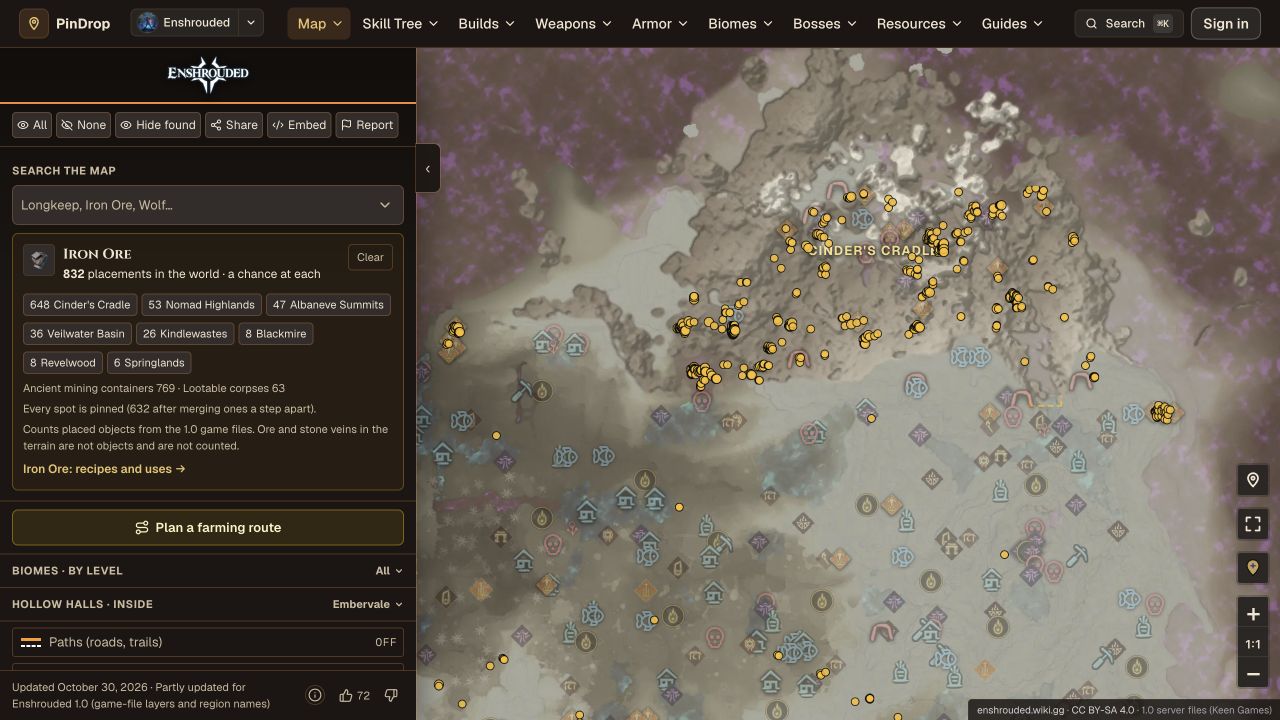
| PinDrop map | Searching a resource and narrowing the map to its deposits. | Search Iron Ore. Its update notice says the map is partly updated for 1.0; not every layer shares the same freshness. |
Both tools opened and returned the example search results during our October 31 review without requiring sign-in. That check does not establish the accuracy of every pin, complete coverage or account-sync behavior. A larger marker count alone does not make one map more reliable.
Find one thing
A named location
On Enshrouded.tools, use Search places and markers for a place such as Ridgeback Mine. Select the matching result, then compare the location with your unlocked travel points. Use the separate creature, plant, ore or chest-item search when your target is an item rather than a place name.
A resource deposit
On PinDrop, use Search the map, enter Iron Ore, and select the resource result. Keep the relevant deposit layer visible and reduce unrelated icons if the map is crowded. Exact result counts can change as the dataset changes.
Before leaving, open the corresponding guide: iron, tin, clay or amber. A pin answers where to look; the guide helps you prepare and identify what you have collected.
Read a pin
Height and entrances
A pin is not a complete walking route. Inspect the nearby roads, cliffs and entrances. If you reach the right horizontal position but cannot see the target, check whether it is underground or above you. For mines, a named entrance is often a more useful first target than the center of an ore cluster.
Found does not mean respawned
A tool's Hide found control is a checklist aid. Do not interpret it as proof that the resource is currently available in your world. Our review did not test game-save import, live world tracking, or the persistence of marked locations after clearing browser storage.
Keep a useful view
Start with the smallest set of icons that answers your question. For an ore trip, leave the ore layer and useful travel landmarks; add other layers only when you need them. When comparing two tools, search for the same place or material rather than comparing their total marker counts.
If you mark discoveries, first check how that particular tool saves progress. Do not assume an anonymous checklist will sync to another device. Keep your important route notes separately until you have checked the behavior you need.
If a location seems wrong
- Check the search result. A place name, an ore type and an item contained in a chest can point to different kinds of markers.
- Check the filters. A hidden category or active search can make a location appear to be missing.
- Check the height and approach. Search the surrounding terrain for a tunnel or climb before deciding the pin is wrong.
- Check the dataset date. Read the tool's own update notice, especially for areas added in 1.0.
- Cross-check a description. Compare the named location or resource page and your in-game Journal. Leave an uncertain point out of your route rather than treating it as confirmed.
Sources
Reviewed October 31, 2026. This is a guide to third-party map tools; their maps and datasets are maintained by their respective owners.
- Enshrouded.tools interactive map: opened its embedded map, searched Ridgeback and selected the Ridgeback Mine result. Place/item search and layer controls were visible. Save import, progress sync and full 3D navigation were not tested.
- PinDrop interactive map: searched and selected Iron Ore. Its October 30 notice describes partial 1.0 updates with some older Wiki-derived information remaining. Found-state persistence and account features were not tested.
MapGenie is another option mentioned in older guides, but access was blocked during this review. Its current availability, update coverage and account limits are unverified here.